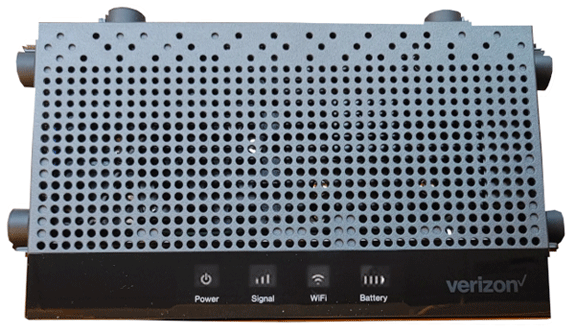
Verizon 5G XC46BE
Normal Status Lights
Light
|
STATUS
|
Description & Suggested Action
|
| POWER | Soft Blink White | System Booting |
Fast Blink White | Firmware update | Solid White | Rest Mode | Solid Blue | Wired WAN connectivity is in service | Solid Green | IP Passthrough enabled | | OTHER | Fast Blink Yellow | Factory reset |
Soft Blink Red | Hardware error | Hard Blink Red | No SIM card | Solid Red | No signal. Not connected to internet | Soft Blink Red | Hardware error | | SIGNAL STRENGTH | 3 Bars Solid White | Excellent 5G or 4G coverave |
2 Bars Solid White | Good 5G or 4G coverage | 1 Bar Solid White | Weak 5G or 4G coverage | 50% Dim white | Rest Mode | | Wi-Fi | Solid White | Passing signal |
Solid White | Setup complete | Solid Red | Not connected to Internet | Solid Dim White | Rest Mode | | PAIRING | Hard Blink Blue | Pairing WPS (in progress) |
Fast Blink Blue | WPS connection successful | Fast Blink Red | WPS connection time out | Hard Blink Red | WPS connection failure | | BATTERY | Solid White | Full bars indicate full battery life |
Light
|
STATUS
|
Description & Suggested Action
|
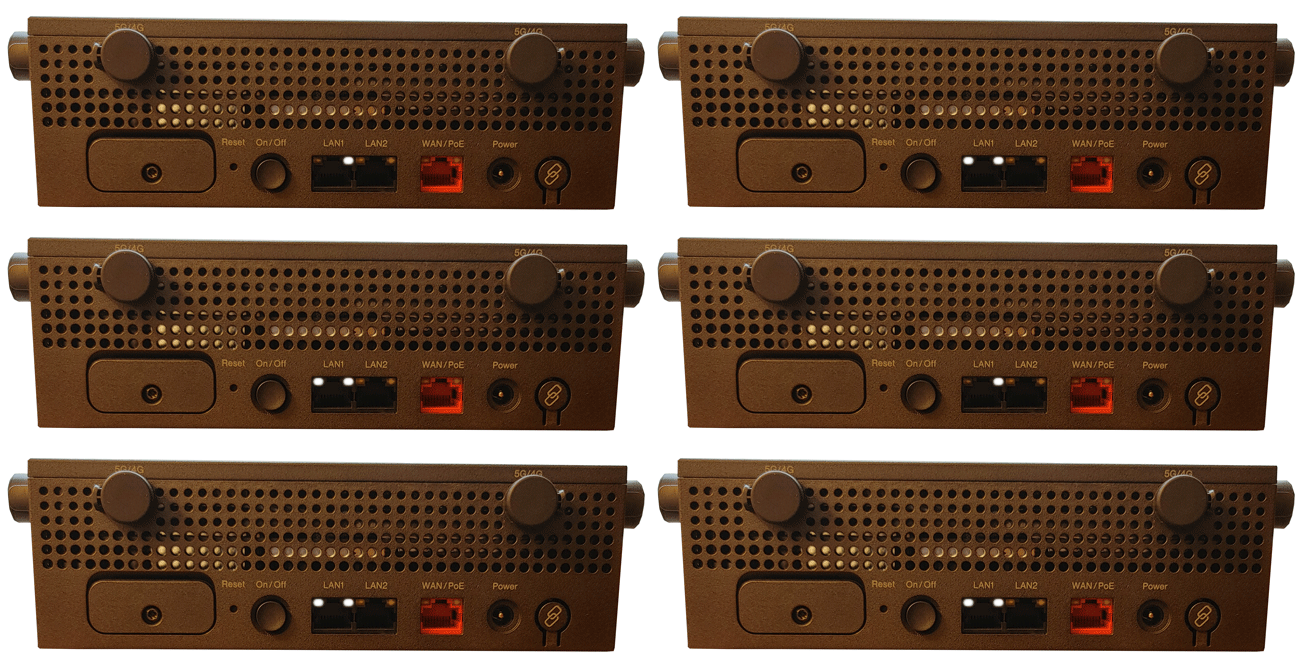
| WIRED LAN RIGHT LED | Solid White | Ethernet > 100M Link |
Blinking White | Ethernet > 100M Activity | Unlit | Ethernet > 100M Link | Unlit | Ethernet > 100M Activity | Unlit | No Ethernet connection | | WIRED LAN LEFT LED | Unlit | Ethernet < 100M Link |
Unlit | Ethernet < 100M Activity | Solid Yellow | Ethernet < 100M Link | Blinking Yellow | Ethernet < 100M Activity | Unlit | No Ethernet connection |
For more information or to have your device listed please contact
Infotel Systems
The Story Behind "Status Lights"

 StatusLights.com