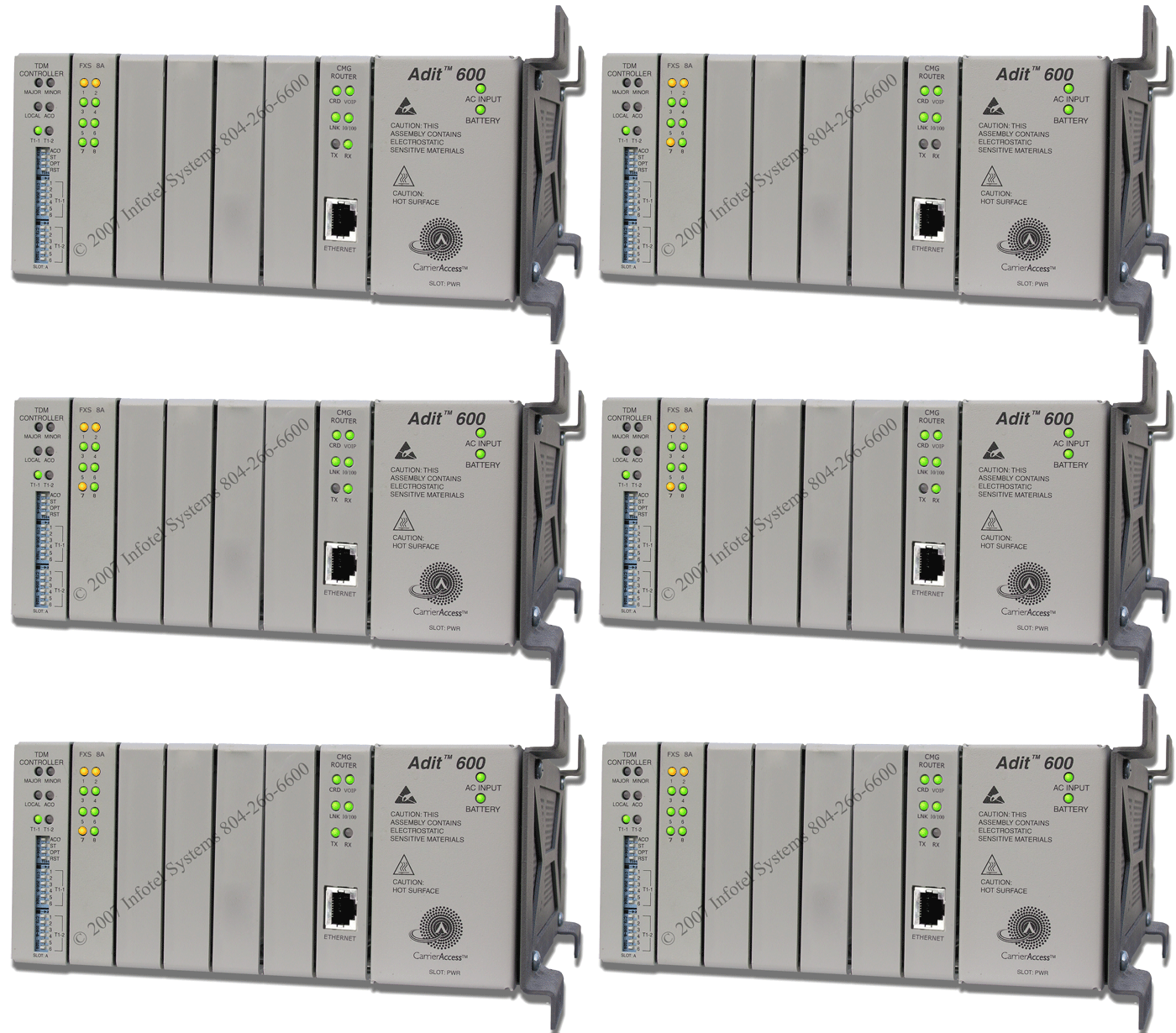
Carrier Access Adit 600 - VoIP
Normal Status Lights
Light
|
STATUS
|
Description & Suggested Action
|
| T1-1 | Red (Solid) | T1 is down. // Call the carrier. |
| MAJOR/MINOR | Red (Solid) | T1 could have taken a power surge. // Call the Carrier. (See CMG ROUTER/CRD) |
| CRD | Green (Not Solid) | Voice over IP card failure. // Call the Carrier. |
TDM Controller - This is the T1 Card.
Light
|
Status
|
Description & Suggested Action (Likely Failures in Bold)
|
| MAJOR OR MINOR |
Unlit |
No alarms present. |
| Red/Yellow |
Red = Major alarm Yellow = Minor alarm
|
| LOCAL |
Unlit |
Remote mode (DIP switches disabled). |
| Green |
Local mode (DIP switches enabled). |
| ACO |
Unlit |
Normal mode. No alarms are being suppressed. |
| Yellow |
Alarm cutoff active. One or more active alarms suppressed. |
| T1-1 OR T1-2 |
Unlit |
Offline |
| Green |
Normal |
| Red |
Loss of Signal (LOS) detected. |
| Yellow |
Bipolar Violation (BPV) detected. |
| Green (Flashing) |
Loopback
active. |
| Red (Flashing) |
Loss of Frame (LOF) or Alarm Indication Signal
(AIS) detected. |
| Yellow (Flashing) |
Yellow alarm (Remote Alarm Indication) detected. |
CMG Router
Light
|
Status
|
Description & Suggested Action (Likely Failures in Bold)
|
| CRD |
Unlit |
Loss of power. |
| Green |
No current alarms. |
| Red |
Alarm state active. // See alarm log for cause. // (If TDM
CONTROLLER/MAJOR are RED also, have a qualified Tech pull card out 1
inch, then
push back for a cold boot) |
| Red (Flashing) |
Self-test or Boot in-process. |
| Yellow (Flashing) |
Card is saving data to flash RAM, do not power down. |
| VOIP |
Unlit |
No active VoIP calls or if the MGCP protocol is optioned down. |
| Green |
Active VoIP calls. |
| Red |
Call agent unreachable. |
| Yellow |
Insufficient VoIP resources to complete call or during
initialization process. |
| LNK |
Unlit |
No Ethernet link. |
| Green |
Good Ethernet link. |
| 10/100 |
Unlit |
10 Mb Ethernet. |
| Green |
100 Mb Ethernet. |
| TX/RX |
Unlit |
No Ethernet transmit activity. |
| Green |
Current Ethernet TX/RX activity. |
| Yellow |
Current Ethernet TX/RX collision. |
For more information or to have your device listed please contact
Infotel Systems
The Story Behind "Status Lights"

 StatusLights.com