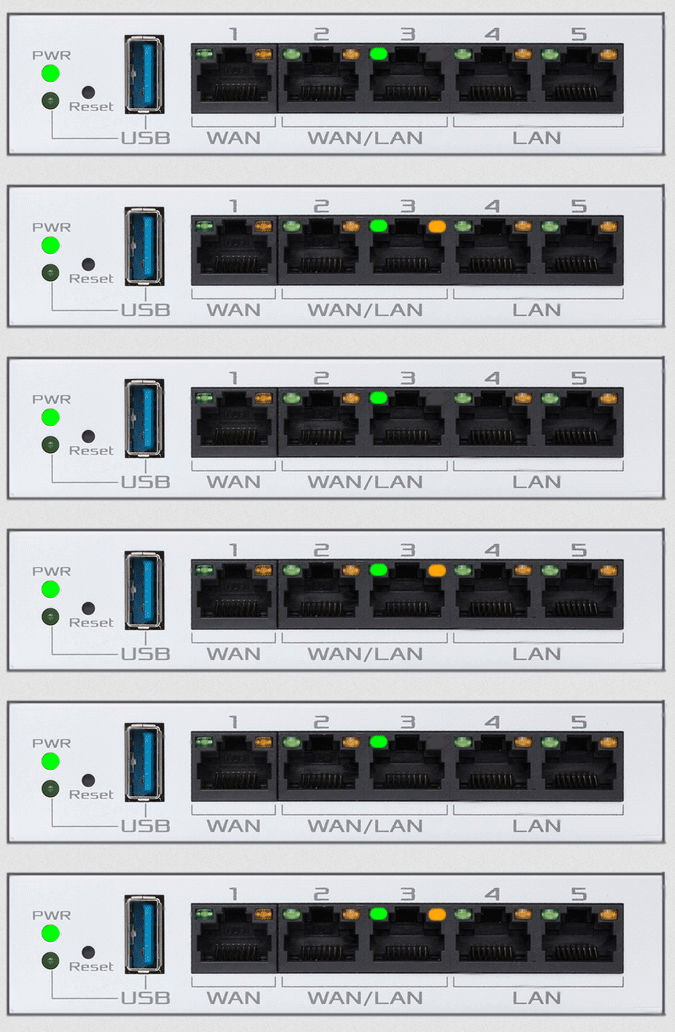
ASUS EBG15
Normal Status Lights
Light
|
STATUS
|
Description & Suggested Action
|
| POWER | Solid Green | Power is ON & Device is Ready |
Slow Flashing | Rescue Mode | Unlit | No Power | | USB 3.2 LED | Solid Green | Device is ready |
Flashing Slow Green | Transmitting/receiving data | Unlit | No power or physical connection | | RESET | | Resets or restores the system to factory default settings |
| USB 3.2 GEN PORT 1 | | Port for USB 3.2 Gen 1 comptible device such as a USB HD or USB Flash Drive can be insterted |
| WAN | | Connect a network cable into this port to establish WAN connection. (the Port is identified by a tactile dot) |
| WAN/LAN | | Connect network cables into the ports to establish WAN/LAN connection |
| LAN | | Connect network cables into these ports to establish LAN connection |
| POWER (DCIN) | | Insert the bundled AC adapter into this port and connect your router to a Power source |
| ETHERNET (SPEED) | Solid Green | 1Gbps |
Unlit | 100Mbps/10Mbps | | LINK/ACT | Solid Amber | No traffic |
Flashing Amber | 1Gbps/100Mbps/10Mbps data traffic |
For more information or to have your device listed please contact
Infotel Systems
The Story Behind "Status Lights"

 StatusLights.com