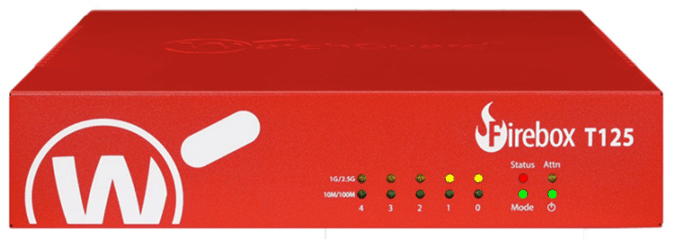
WatchGuard Firebox T125
Normal Status Lights
Light
|
STATUS
|
Description & Suggested Action
|
| STATUS | Red | Indicator is Red when there is a management connection to the device. It is also lit for 30s after you connect to the device with Fireware Web UI or the CLI. It is also lit when the device is polled by WatchGuard System Manager. |
| MODE | Green | If the device can connect to the external network and send traffic the indicator is green. |
Flashing Green | Device cannot send traffic to the external network. | | ATTN | Yellow | Lit when you start the device with the Reset button pressed. |
| POWER | Green | Power is ON |
| 2.5G | Yellow | Interface (0): 2.5 Gbps or 1000 Mbps (1G/2.5G) |
| 2.5 G | Green | Interface (0): 10 Mbps or 100 Mbps (10M/100M) |
| 1G | Yellow | Interfaces (1 - 4): 1000 Mbps |
Green | Interfaces (1 - 4): 10 Mbps or 100 Mbps | | 2.4 GHz | Yellow | Interface enabled, flashes to indicate network activity |
| 5 GHz | Green | Interface enabled, flashes to indicate network activity |
Light
|
STATUS
|
Description & Suggested Action
|
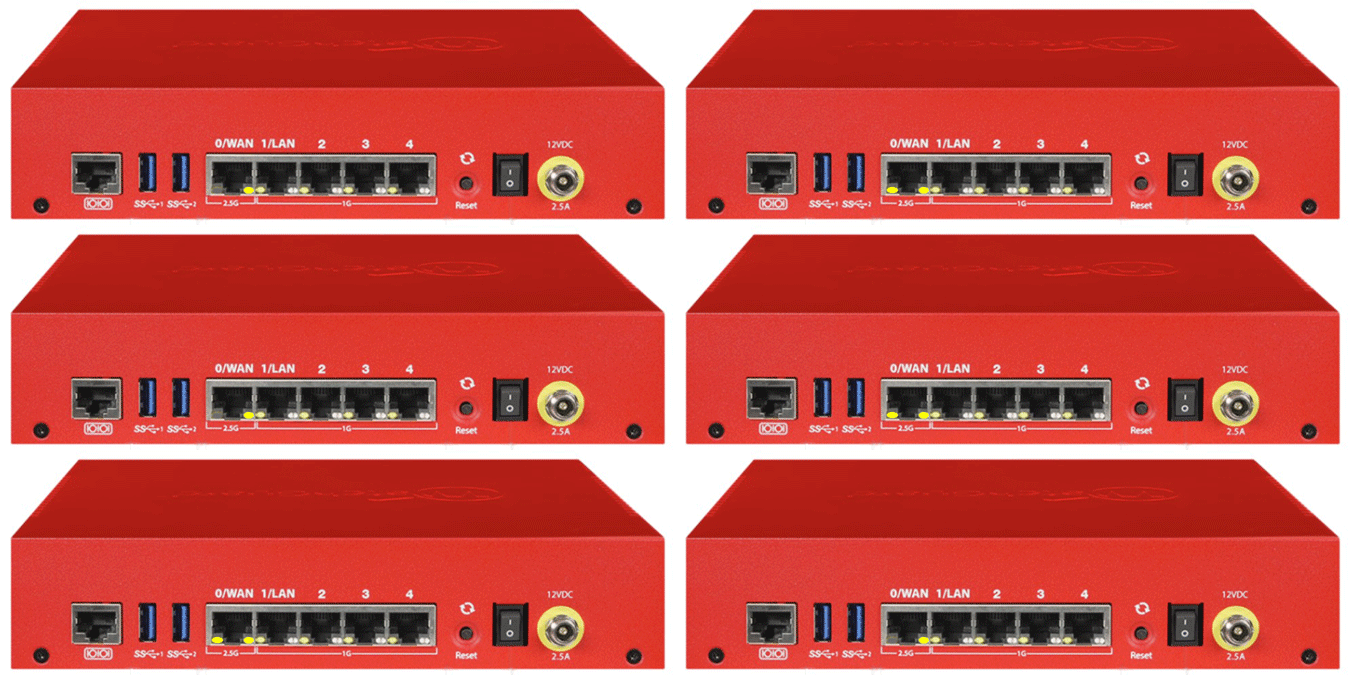
| 2.5G 0/WAN | Yellow | 2.5 Gbps |
Green | 1000 or 100 Mbps | Unlit | No Link | | 1G LAN 1-4 | Yellow | 1000 Mbps |
Green | 100 Mbps | Unlit | 10 Mbps or no Link | Network Interfaces
The Ethernet interfaces have standard RJ45 connectors. The first two interfaces are labeled 0/WAN and 1/LAN.
Interface 0 supports 2.5 Gbps and 10/100/1000 Mbps
Interfaces 1 to 4 support 10/100/1000 Mbps
Left indicator (Activity) — The left LED indicator on the interface port flashes yellow to indicate network activity. The flashing speed increases as the data sent or received increases.
Right indicator (Connection) — The right LED indicator on the interface port indicates the connection status |
For more information or to have your device listed please contact
Infotel Systems
The Story Behind "Status Lights"

 StatusLights.com