TP-Link Omada ER7412-M2
Normal Status Lights
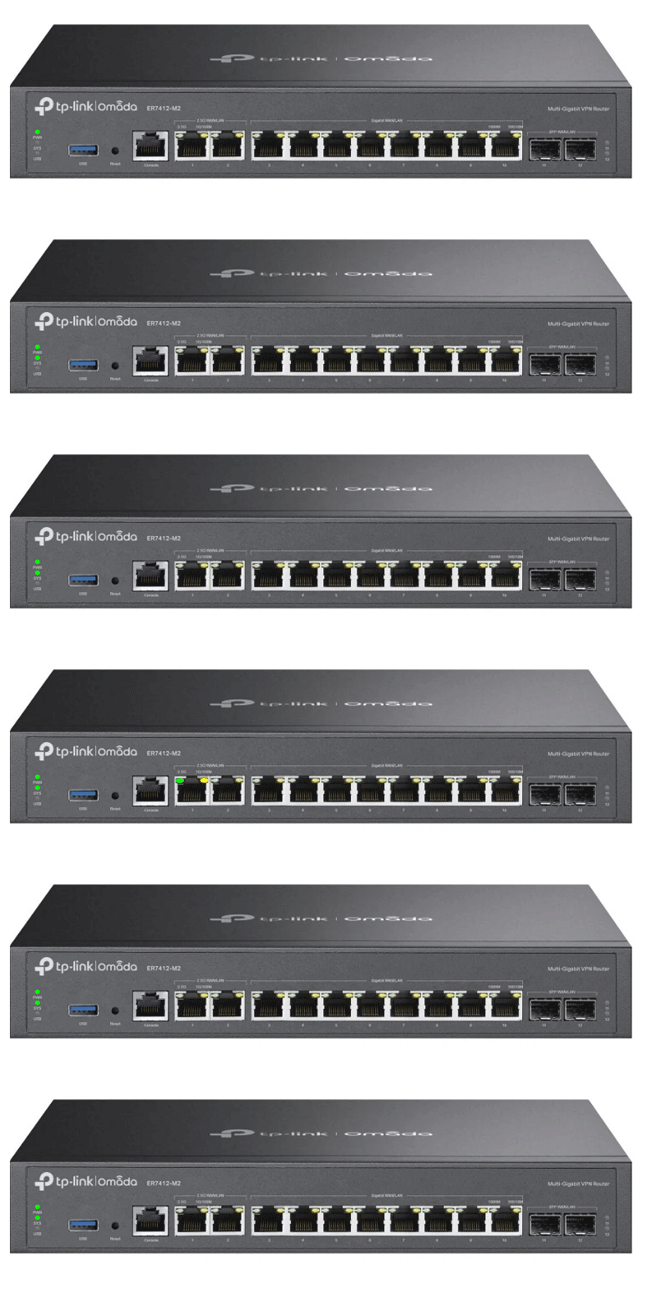
Light
|
STATUS
|
Description & Suggested Action
|
| PWR | Solid Green | Powered On |
Unlit | Powered Off | | SYS | Solid Green | System is starting up or running abnormally |
Slow Flashing Green | System is running normally | Quick Flashing Green | Router is being reset | | USB - Modem | Flashing Green | Modem is connecting and initializing |
Solid Green | Modem is loaded | Unlit | No modem is inserted or it is corrupted or incompatible | | USB - Storage | Solid Green | USB Storage device is inserted and identified |
Unlit | No USB storage inserted or it is corrupted or incompatible | | 2.5G Left LED | Solid Green | Running at 2.5 Gbps but no activity |
Unlit | No device is linked to the port | Flashing Green | Running at 2.5 Gbps and trasmitting/receiving data | | 2.5G Right LED | Solid Yellow | Running at 1000/100/10 Mbps but no activity |
Unlit | No device is linked to the port | Flashing Yellow | Running at 100/10Mbps and transmitting/receiving data | | GIGABIT Left LED | Solid Green | Running at 1000 Mbps, but no activity |
Unlit | No device is linked to the port | Flashing Green | Running at 1000 Mbps and transmitting/receiving data | | GIGABIT Right LED | Solid Yellow | Running at 100/10 Mbps but no activity |
Unlit | No device is linked to the port | Flashing Yellow | Running at 100/10 Mbps and transmitting/receving data | | SFP Port 11-12 | Solid Green | Port is running at 1000 Mbps but no activity |
Unlit | No device is linked to the port | Flashing Green | Running at 1000 Mbps and transmitting/receiving data |
For more information or to have your device listed please contact
Infotel Systems
The Story Behind "Status Lights"

 StatusLights.com
